
How Long Does 3D Sand Printing Take? Real Lead Times for Molds and Cores

How long does 3D sand printing take? Print time alone runs from a few hours for a small mold to one to three days for a typical production mold, and the complete CAD-to-pour cycle — model preparation, printing, unpacking, and getting the mold ready for metal — takes days, not weeks. A small mold occupying up to about a quarter of a 3DPTEK J1800 build bed typically prints in three to eight hours. A mold that fills the J1800 bed prints in roughly one to two and a half days. Large jobs on the J2500 run two to four days, and the biggest jobs on the J4000Pro run three to five days of continuous printing before post-processing even starts. No pattern is involved anywhere in that timeline.
Those numbers matter to foundries because the question is almost never about the printer alone — it is about when you can pour. Binder jetting produces a complete mold and its cores directly from CAD, so the traditional wait for pattern tooling disappears. What remains is a pipeline with three stages: CAD preparation, printing, and post-processing before the pour. Each stage has its own realistic time budget, and they do not all scale with part size the same way. This article gives you honest ranges for every stage, worked examples for each machine size class, and a lead-time table you can use the next time a customer asks “when can we cast it?”.

The direct answer: a realistic CAD-to-pour timeline
If you need one planning number: count on three to six working days from a finished CAD file to a mold ready to pour for a typical job, and under 48 hours for a simple small mold when your print parameters are pre-validated. That total breaks down as follows:
- CAD preparation and file prep: a few hours for a part you already have modeled, up to a few days when gating, risering, and casting simulation are involved.
- Print time: three to eight hours for a small mold, one to two and a half days for a full J1800 bed, up to five days for a full-height J4000Pro job.
- Post-processing and pouring prep: a few hours to a day for unpacking, cleaning, and assembly; add half a day to a full day when you apply a mold coating and let it dry.
The wide variable in that list is the first stage, not the printer. A foundry that keeps a library of validated gating templates and print parameters can move a simple job from CAD to pour in under two days. A complex new casting — a pump volute with internal cooling channels, say — can spend three days in CAD and simulation alone before the printer starts. Very large, multi-part mold assemblies push the total toward one to two weeks, and that is usually because splitting the job and preparing every segment grows with size, not because the machine is slow.
Two things make these numbers worth quoting to a customer. First, the first article is delivered at the same speed as the tenth — there is no tooling ramp. Second, the printer runs unattended overnight, so a job that starts at 4 p.m. is often ready for unpacking the next morning. For the full mechanism behind that speed, our walkthrough of how sand 3D printing works explains what happens between the CAD file and the finished mold.
Stage 1: CAD preparation and file prep (hours to a few days)
Preparation time depends almost entirely on how much of the engineering is already done. There are three common cases:

- The part model already exists — the most common case in practice, because sand printing is usually used to develop or replicate an existing casting. Prep means adding gating, runners, risers, and vents, checking draft angles and wall thickness, and deciding mold orientation. A competent engineer does this in a few hours.
- The part is designed from scratch — now the clock includes the design work itself, typically one to three days for a medium part, longer for complex geometries.
- Casting simulation is required — fill and solidification analysis on a medium part typically runs from a couple of hours to overnight on a workstation, and each design iteration adds another run. This is the stage where experienced shops save the most time, because a good engineer eliminates most iterations before the first simulation.
Once the mold geometry is approved, file prep is mechanical: slicing at the chosen layer thickness (0.28 to 0.4 mm), setting binder saturation and printhead parameters, and queuing the job. This takes minutes, not hours. Mature machine software — something our competitors like ExOne have invested heavily in — makes this step fast and repeatable, and it is worth having regardless of which machine you run.
The practical rule: if the CAD exists and no simulation is planned, budget half a day of engineering. If simulation is part of your quality process, budget a day or two. Do not let this stage surprise you — it is the one place where a “two-day” promise turns into a five-day reality.
Stage 2: the actual print time (hours to days, driven by build volume and layer height)
Binder jetting deposits a thin layer of sand across the build bed, jets binder where the mold should be solid, lowers the bed, and repeats. There is no laser scanning and no support structure to remove, so print time follows a simple relationship:
Print time ≈ (job height ÷ layer thickness) × time per layer.
Time per layer is set by the recoater sweep across the bed plus the printhead passes, so it scales with the footprint of the job, not with the complexity of the part. This is the key insight for planning: a geometrically complicated mold does not print slower than a simple block of the same footprint and height — only the binder pattern changes. That is why sand printing can deliver an intricate core with internal channels at the same speed as a plain mold half.
Layer thickness is the other lever, and 0.28 to 0.4 mm is the practical working range on production sand printers. The 0.4 mm setting is the fast default for large molds where surface detail matters less; 0.28 mm is used when fine features, sharp edges, or thin cores justify the extra passes. The trade-off is arithmetic: switching from 0.4 mm to 0.28 mm layers adds roughly 40% more layers to the same job height — and roughly 40% more print time — for finer detail. Most foundries standardize on 0.3 mm and only move off it for a specific reason.
Worked examples per build-volume class, at a 0.3 mm layer:
- Small mold (up to ~900 × 500 mm footprint, 200–300 mm tall): about 700–1,000 layers at 20–30 seconds per layer — three to eight hours of printing. A small mold started at lunch is ready for unpacking the same evening.
- Medium mold (full J1800 bed, 1800 × 1000 mm, 400–800 mm tall): roughly 1,300–2,700 layers at 60–90 seconds per layer — one to two and a half days. This is the classic “pour it the day after tomorrow” job.
- Large mold (J2500, 2500 × 1250 mm, up to 1,000 mm tall): two to four days of printing, driven by both the larger footprint and the height.
- Extra large (J4000Pro, 4000 × 2000 mm, up to 1,000 mm tall): three to five days for a full-height job. Very large castings are usually split into several mold segments printed as separate jobs, which can be run back to back.
Two planning details worth knowing. First, cores and small molds can be nested into the same job box at no extra time — a job is billed by height and footprint, not by part count. Second, these are typical ranges for production binder-jetting machines of each class; exact figures depend on the sand, binder, and machine generation, which is why 3DPTEK quotes per-job times once it has your geometry. The full 3DPTEK sand 3D printer line — the J1800, J2500, and J4000Pro — determines which size class applies to your part.
Stage 3: post-processing, inspection, and pouring prep (hours to a day or two)
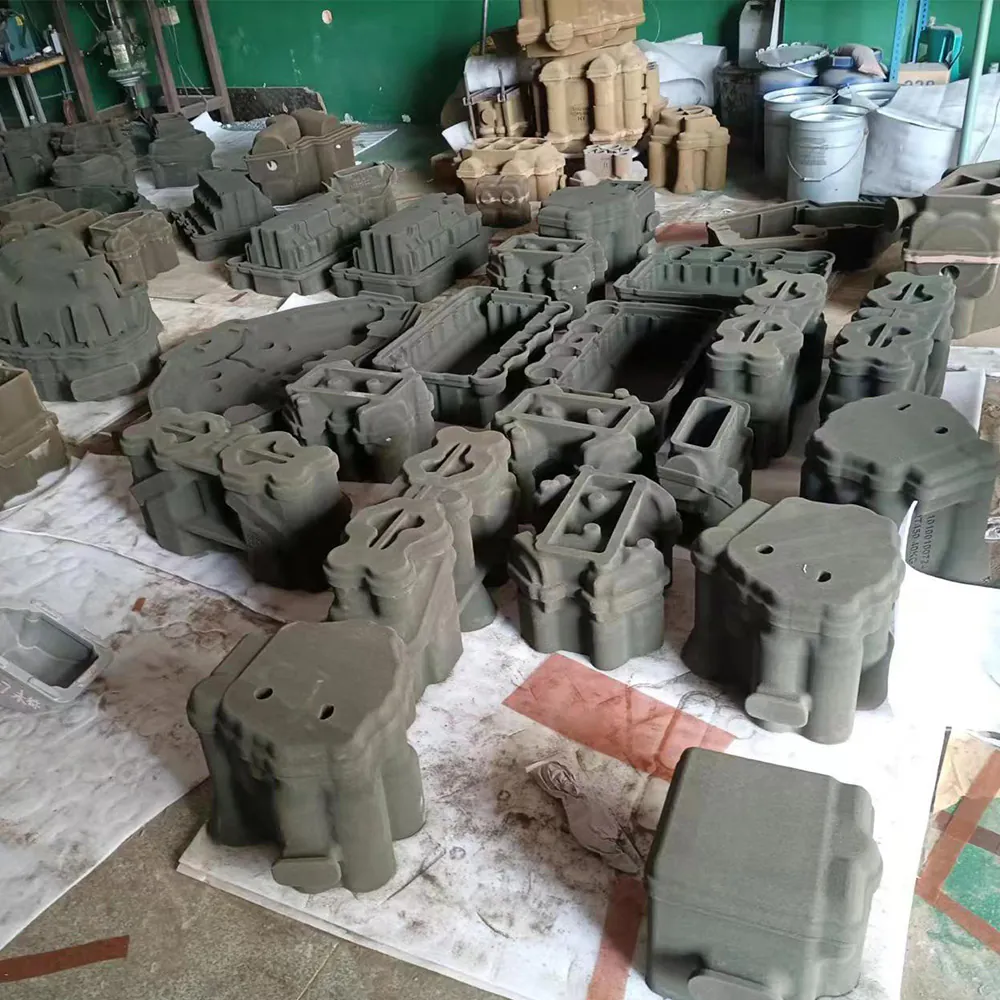
Printing ends with the mold still embedded in loose sand, and getting it ready to pour is a real stage with its own time budget — usually a few hours, occasionally a full day when coatings are involved.
- Unpacking and depowdering: the job box is opened, loose sand is removed from around the mold, and the mold is lifted out. The reclaimed sand feeds back into the system — sand reclamation recovers over 95% of the material — so unpacking is fast and cheap.
- Cleaning internal geometry: cores with narrow internal cooling channels need the loose sand blown or vacuumed out of every channel before assembly. This is manual work and it is where a poorly designed core can cost you an hour.
- Inspection: a visual and dimensional check of the mold, gating, and core prints. The sand mold is fragile before pouring, so handling and inspection are part of the routine, not a separate QA gate.
- Optional coating: a zircon- or alcohol-based mold wash improves surface finish and helps certain alloys, but it must be applied and dried — add half a day to a day. For many gray iron and aluminum jobs the coating is skipped entirely and the mold goes straight to the floor.
- Assembly: cores are placed into the drag, the cope is closed, and the mold is weighted or clamped. A simple mold can be assembled in under an hour; a multi-core assembly for a complex casting takes half a day.
The honest summary: for a simple mold you can pour within hours of the print finishing; for a coated, multi-core assembly, plan a day. If you would rather not build this workflow in-house, our sand mold and core printing service handles the whole pipeline from CAD to ready-to-pour molds and delivers against a quoted date.
The lead-time table: plan your job in minutes
The table below consolidates the honest ranges from the three stages. It assumes a 0.3 mm layer, a single job run on the machine class indicated, an experienced operator, and sand in stock. CAD preparation is the widest variable, so the total column shows both ends of the range.
| Mold size class | Print time | Post-traitement | Total CAD-to-pour |
|---|---|---|---|
| Small — up to a quarter of a J1800 bed | 3–8 hours | 2–6 hours | 1–2 days |
| Medium — full J1800 bed | 1–2.5 days | 0.5–1 day | 3–6 days |
| Large — J2500 | 2–4 days | ~1 day | 5–10 days |
| Extra large — J4000Pro | 3–5 days | 1–2 days | 1–2 weeks |
Two honest caveats. The extra-large row drifts into two weeks because very large castings are split into multiple mold segments, each with its own prep and print job. And every range above is for the first article; on a repeat run the CAD stage drops out and you are left with print plus post-processing, which is the scenario where the medium and large rows compress by a day or two.
Compared to traditional tooling: 4–8 weeks versus days
The comparison that matters to a foundry or its customer is not print speed versus molding speed — it is the total time to first casting. Traditional sand casting needs a pattern first: a wooden pattern typically takes about two weeks to make, and a machined aluminum or resin pattern runs four to eight weeks with a cost of roughly €3,000 to €15,000. A 3D-printed mold skips the pattern entirely, so the first casting exists in days, not weeks. Surveys at INTERMOLD Nagoya reflect exactly this: foundries that switched report the same mold going from about two weeks (wooden pattern) to about two days (printed), roughly a tenfold cut in that leg of the schedule.
Now the honest counterpoint: when you already have good tooling, repetition wins. If a pattern and core box exist and the job repeats monthly, a core shooter — a Laempe or equivalent — produces each core in minutes, and a production foundry will beat a printer on cycle time and cost per mold once volumes are high enough to amortize the tooling. The traditional vs. patternless casting comparison lays out exactly where that crossover sits.
When you do not have tooling, though, the printer wins by weeks — and that is the situation most pump and valve makers and aerospace component developers find themselves in during development, qualification, and low-volume production. BMW’s Landshut light-metal foundry has run this way for years, printing sand cores and molds for prototype and small-series engine components instead of waiting on tooling, and then keeping the pattern only when a part graduates to high volume. The Guide du moulage au sable sans modèle covers the same decision in more depth, as does our analysis of binder jetting versus traditional tooling for the cost side.
The practical rule a sales engineer would give you: keep existing tooling for proven, high-volume parts; use sand printing for everything with a deadline or no pattern — new variants, service parts, design iterations, and any casting where the pattern would cost more or arrive later than the casting itself. Our detailed cost breakdown on sand 3D printing shows the numbers behind that rule.
How to shorten the cycle further
The ranges above assume a competent but not optimized workflow. Five habits consistently pull the total down by a day or more:
- Pre-validate your print parameters. Lock a parameter set per sand and binder combination — layer, saturation, printhead settings — so every job runs on known-good settings. This eliminates trial prints, which are the hidden time cost of a new material.
- Overlap preparation with printing. The biggest scheduling waste is serializing the stages: prepare the next job’s CAD and simulation while the current job prints. A one-printer shop can still run near-continuously this way.
- Batch and nest aggressively. Fill the job box by height, not by part count. Multiple molds and cores for the same or different customers print in one job at the cost of the tallest one, which is the logic behind a digital casting foundry operation.
- Decide on coating up front. Coating adds half a day to a day of drying. If the alloy and surface requirements allow it, skip it; if not, coat in the same shift the print finishes so the drying overlaps with assembly planning.
- Keep sand in stock. Sand is cheap and reclaimable past 95%, but only if it is on site. An empty hopper adds a shipping delay that has nothing to do with the printer. Open material systems make stocking straightforward, and our guide to integrating a sand 3D printer into an existing foundry covers the logistics.
If you apply all five, a typical mold goes from the three-to-six-day range down to two to four days, and a simple small mold can go CAD-to-pour in under 48 hours. Most of the gain comes from killing idle time, not from printing faster. For choosing the machine that fits your job mix in the first place, the Guide d'achat d'une imprimante 3D à sable walks through bed size, throughput, and running costs together.
Demander un devis officiel with your part geometry and target pour date, and we will send back a per-job time estimate plus a firm delivery date for the mold — same process we use for every customer before we quote the machine itself.
Rédigé par l'équipe d'ingénieurs de 3DPTEK — celle-là même qui gère au quotidien nos propres fonderies et nos imprimantes 3D à sable. À propos de 3DPTEK.
Foire aux questions
How long does 3D sand printing actually take?
Print time depends on job size and layer thickness: a small mold prints in three to eight hours, a typical full-bed mold in one to two and a half days, and the largest jobs in three to five days. Including CAD preparation and post-processing, the full CAD-to-pour cycle runs from one to two days for a simple small mold up to one to two weeks for an extra-large multi-part assembly. It is measured in days, never in the weeks a pattern would take.
How long does it take to print a small sand mold?
A small mold — up to about a quarter of a J1800 build bed, roughly 900 × 500 mm in footprint — prints in three to eight hours at a 0.3 mm layer thickness. Add a few hours for unpacking and assembly and you can pour the same day or the next morning. With pre-validated parameters and a part that is already modeled, the total from CAD to pour is one to two days.
How long does a large mold take?
A large mold on a J2500 (2500 × 1250 mm bed) takes two to four days of print time, and an extra-large job on the J4000Pro (4000 × 2000 mm bed) takes three to five days at full height. Very large castings are usually split into several mold segments printed as separate jobs, which extends the total but lets each segment start pouring as soon as it is ready.
What is the bottleneck — printing or preparation?
For a one-off job, preparation is usually the bottleneck: CAD work and casting simulation can take longer than the print itself, especially for a complex new part. For repeat or batch runs, print time dominates because the CAD stage drops out. The machine itself is rarely the constraint — it prints unattended overnight, so the real scheduling question is whether preparation and post-processing are overlapped with printing or serialized after it.
How does this compare with making a wooden pattern?
A wooden pattern typically takes about two weeks to make, and a machined pattern runs four to eight weeks at a cost of roughly €3,000 to €15,000. A 3D-printed mold skips the pattern entirely and delivers the first casting in days. The trade-off is only relevant when a pattern already exists and the run is large enough to amortize it — then traditional molding wins on per-part cycle time, and printing is best reserved for iterations and new variants.
What is the fastest way to get a casting from a CAD file?
Send a validated CAD model to a service with pre-tested print parameters — our sand mold and core printing service quotes a per-job time and delivers ready-to-pour molds — and overlap the post-processing with your melting schedule. A simple small mold can go from CAD to pour in under 48 hours that way; a typical mold takes three to six days with no engineering surprises.


